Kubernetes desktop client · v0.2.3
Every cluster, two keystrokes away.
Kubyl is a native Kubernetes client for macOS, Windows and Linux. It's written in Rust on GPUI, the framework behind the Zed editor, and it's free for everyone.
MIT or Apache-2.0No accountNo telemetry
Command palette
Six prefixes cover the whole cluster.
Press ⌘ K, or : in any list, and type. If you use k9s, the commands are the ones you already know. A k9s keymap preset ships alongside the Zed-style default.
Resource kinds
Plurals, short names, categories and CRDs from discovery.
:deploy -AContexts
Switch clusters, with connection state and latency.
@staging-eu-west-1Namespaces
Change namespace. Open lists follow along.
#kube-systemActions
Everything in the key-hints bar, scoped to the selection.
>restart rolloutFavorites
Pinned namespaces across every cluster you use.
*paymentsFilter
Narrow the focused list without leaving the keyboard.
/CrashLoopIn v0.2.3
What you get today
The day-to-day work of k9s, the old Kubernetes Dashboard, the Argo CD UI and the OpenShift console's operator catalog, in one native window with split panes, tabs and docks.
All your kubeconfigs
Merges every kubeconfig into one entry per cluster and user, with OIDC device sign-in, EKS and GKE exec plugins and live connection-status dots. Tokens stay in the OS keychain.
Live resource tables
Watch-backed lists that stay fast at 5,000 pods, with favorites, custom resources and a details panel for every object, including ConfigMap and Secret data.
YAML with schema checks
Edits are validated against the cluster's OpenAPI schema, CRDs included. Review the diff, then apply server-side.
Logs, shell and port-forwards
Stream logs with search and log-level detection, exec into containers in a real terminal, and forward ports from pods, services and workloads in one place.
Pod file browser
Browse a container's filesystem and drag files in and out, like a Finder window for your pods.
Overview and metrics
A cluster overview with events and Prometheus-backed usage, plus CPU and memory sparklines right in the resource tables.
Argo CD
Applications, resource tree, diff, sync, history and rollback, and controller logs, without leaving Kubyl for the Argo CD UI.
Operators and Helm
Browse OperatorHub, install and upgrade OLM operators, and inspect Helm releases and their manifests, OpenShift-console style.
Alerts
Alertmanager alerts, silences with a PROD confirmation, and alerting rules, grouped and filterable from the sidebar.
On the roadmap
- Cluster updates (OpenShift-style)
- Auto-update, stable and preview channels
- Homebrew, winget and Flathub
- Accessibility pass
- Light theme finished
- Windows code signing
Screenshots
Styled like Zed, because it runs on Zed's UI framework.
GPUI draws every frame on the GPU. No Electron and no web view, so a window opens fast and scrolls smoothly.
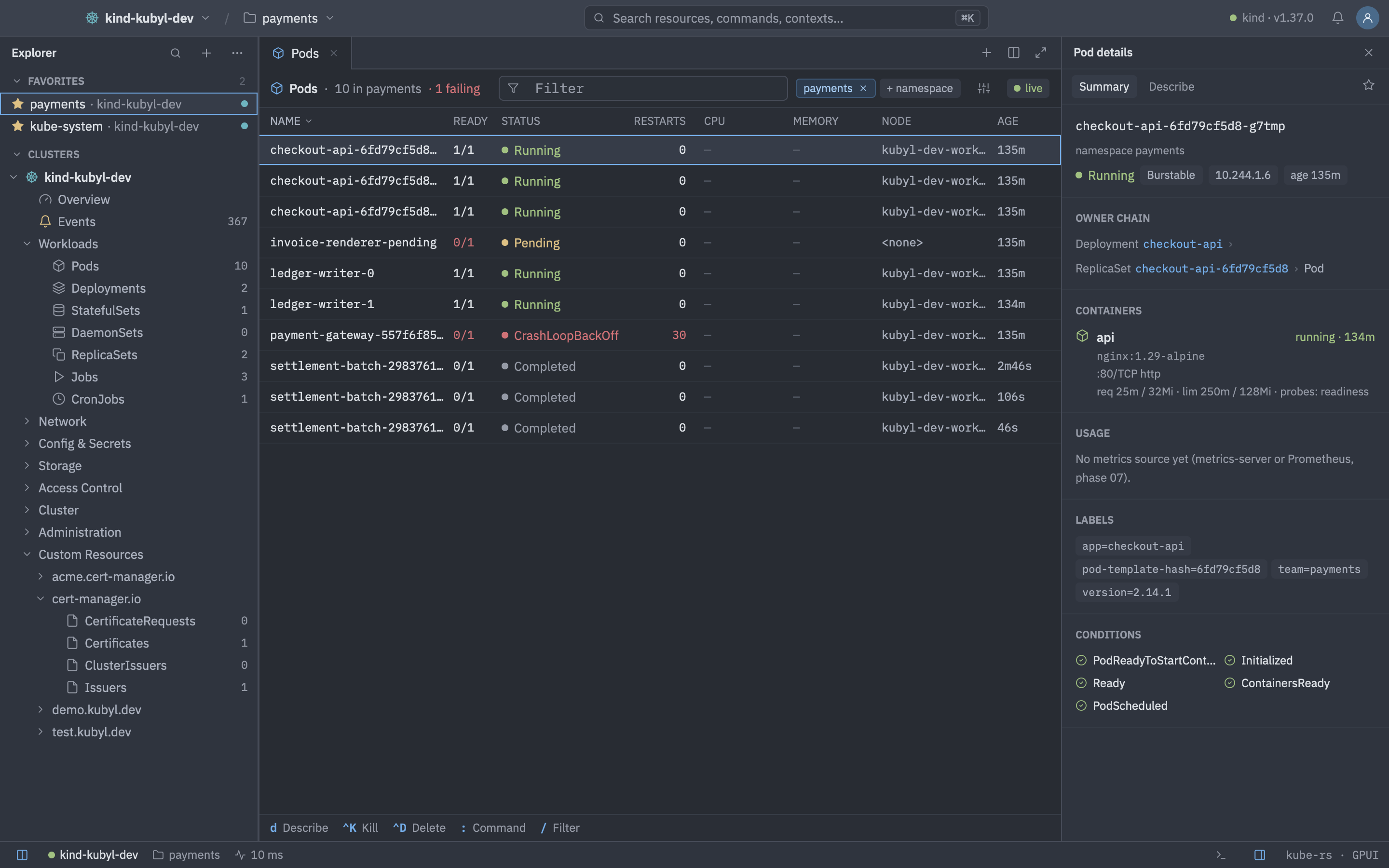
Watch-backed pod list with owner chain, containers, labels and conditions in the details panel.
- Language
- Rust
- UI
- GPUI, IBM Plex, Lucide icons
- Kubernetes
- kube-rs, server-side apply, Argo CD, OLM, Alertmanager
- Platforms
- macOS, Windows, Linux (x86_64 and arm64)
Free for everyone
No paid plan and no locked features.
Kubyl is built in spare time by Alexander Birkner. A sponsorship membership pays for code signing and notarization and keeps releases coming.